Internal Chrome Extension Design & AI Development
The App Launcher — a Chrome extension that gives Cloud account teams one smooth handoff between every tool they rely on, instead of a dozen disconnected tabs.
The problem
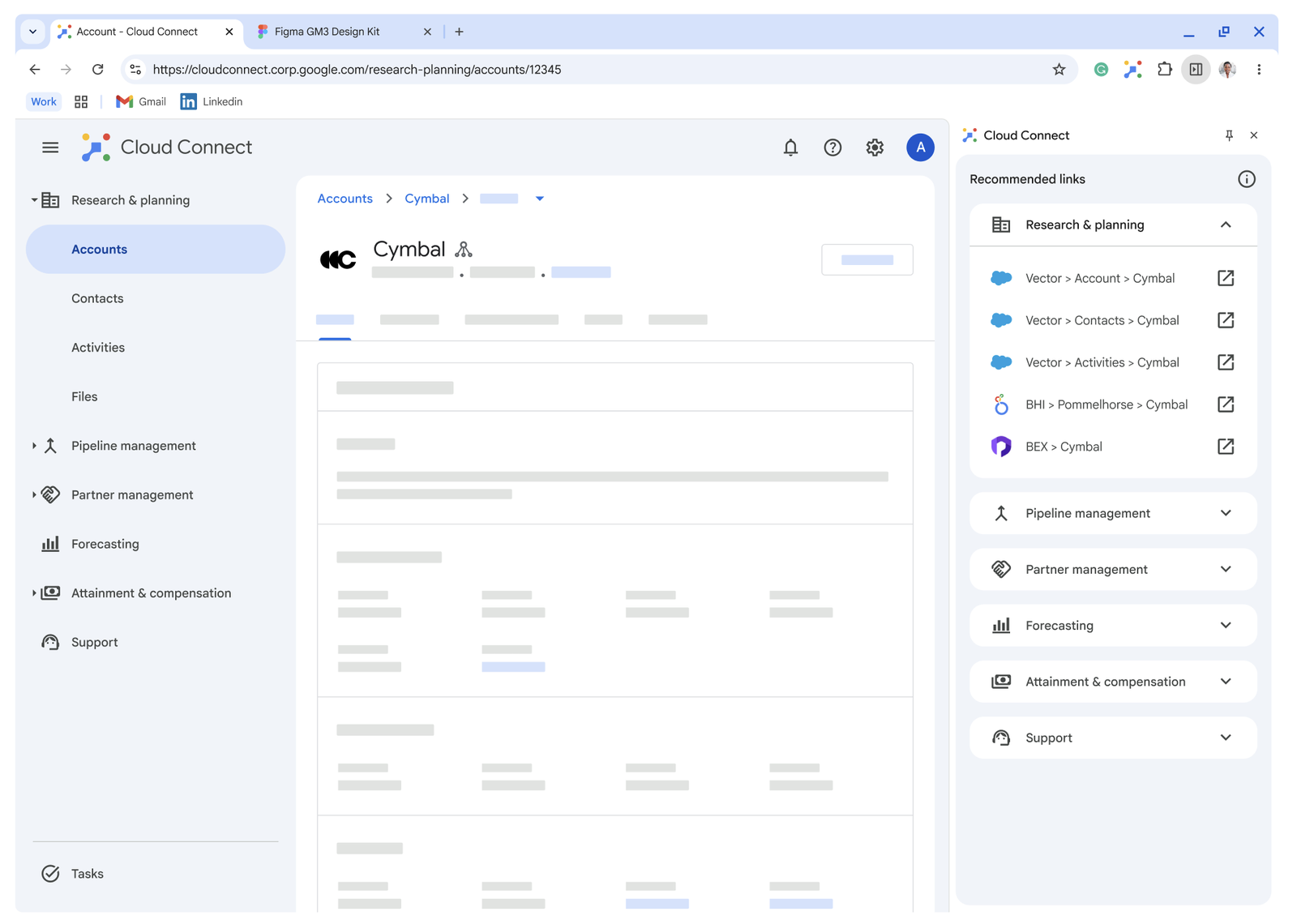
There was no standardized handoff between apps — just frustrating "swivel chair" workflows.
Account teams — sellers, customer engineers, technical account managers, and more — worked across a sprawling ecosystem of Cloud tools every day. None of it was connected. Despite the long-term vision of Cloud Connect as a central hub, the immediate reality was coexisting with a dozen other apps in a fragmented experience: too many tools, no single source of truth, and users left to stitch the story together themselves.
The opportunity
A global, personalized app launcher
One way to address this: build a launcher that lives inside the browser and provides a smooth handoff between Cloud and every other tool an account team relies on — contextual to whatever page they're already on.
The process
From research to a shipped product
Research
Mapped account-team personas and surfaced a recurring theme: users need an integrated ecosystem, a single source of truth, and experiences that guide rather than add complexity.
Competitive Analysis
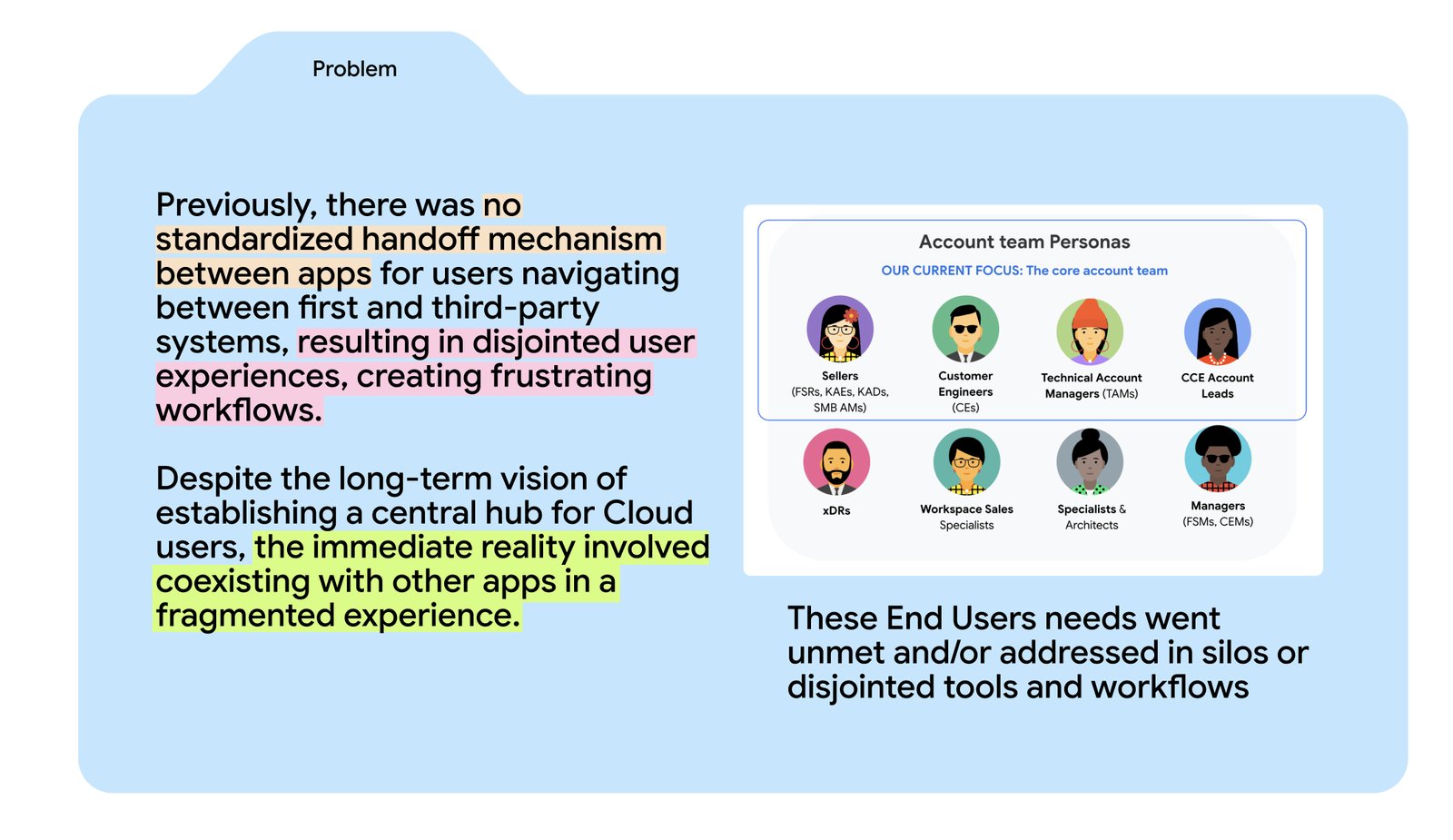
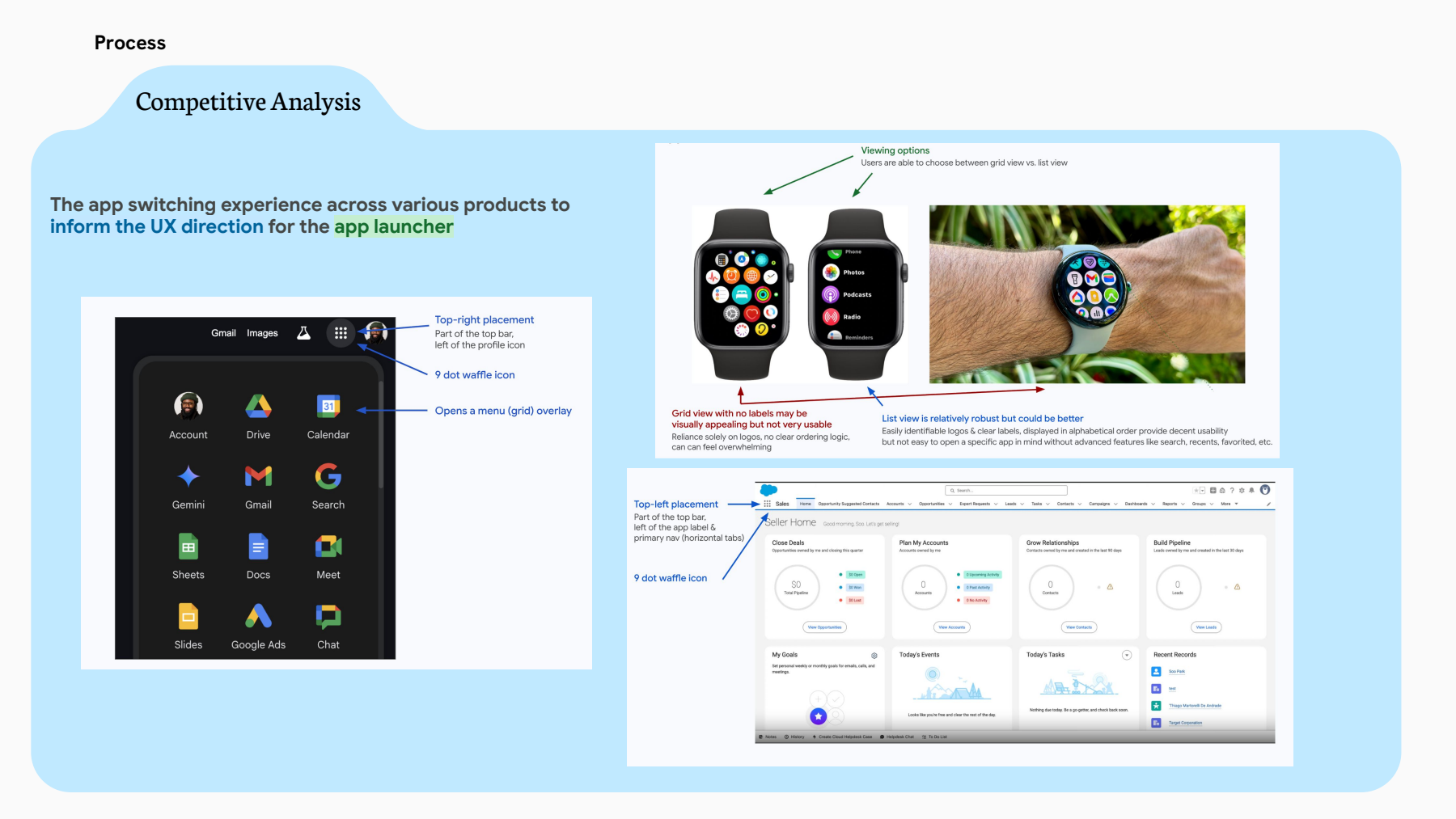
Studied how Google Search, Apple Watch, and Salesforce each handle app-switching and grid vs. list navigation, to inform the launcher's own UX direction.
Design Sprint
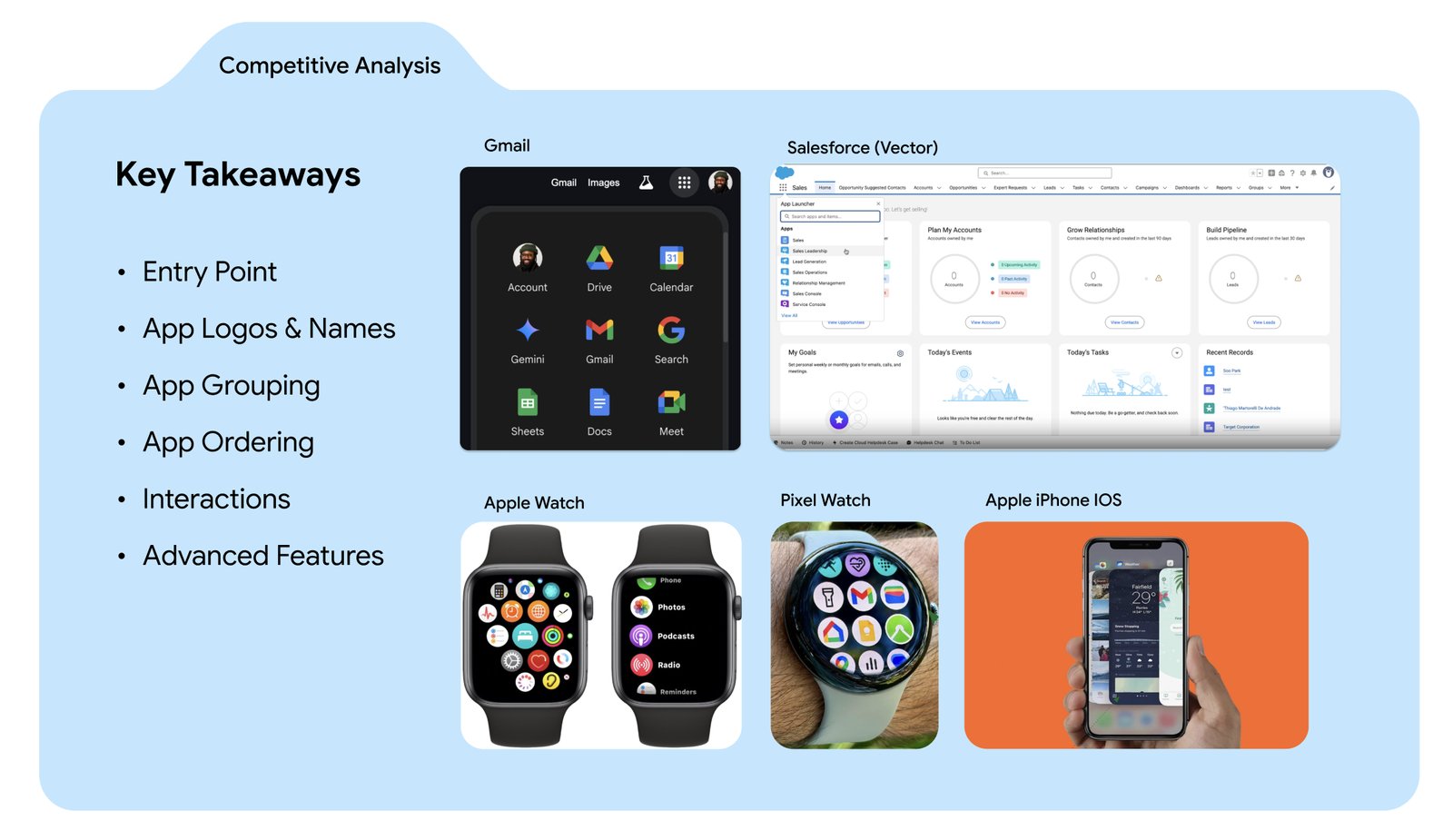
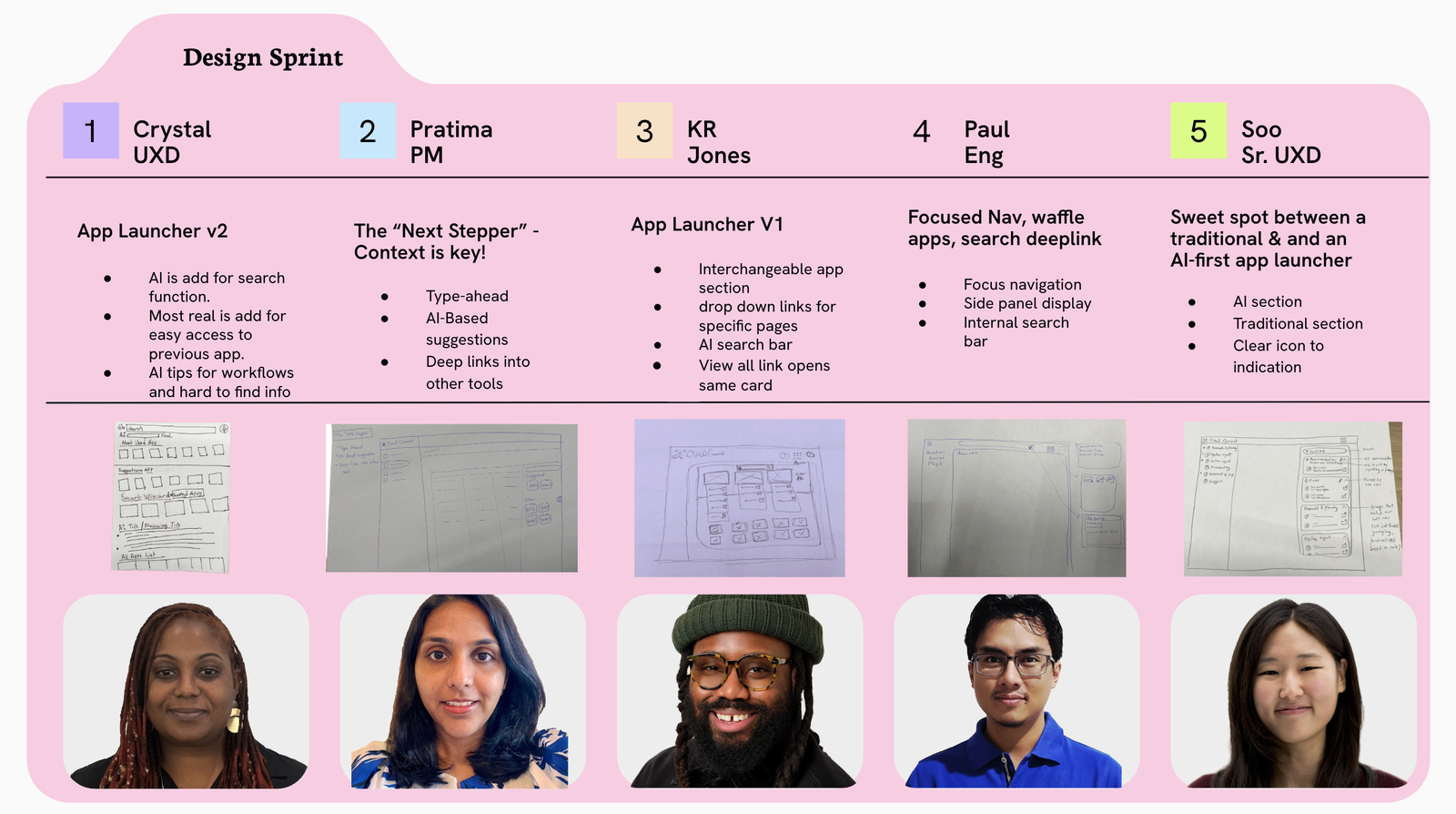
Ran a 3-day cross-functional sprint with five designers, PMs, and engineers, each exploring a distinct direction — from AI-first search to a focused nav panel. I contributed the App Launcher V1 concept.
MVP Design
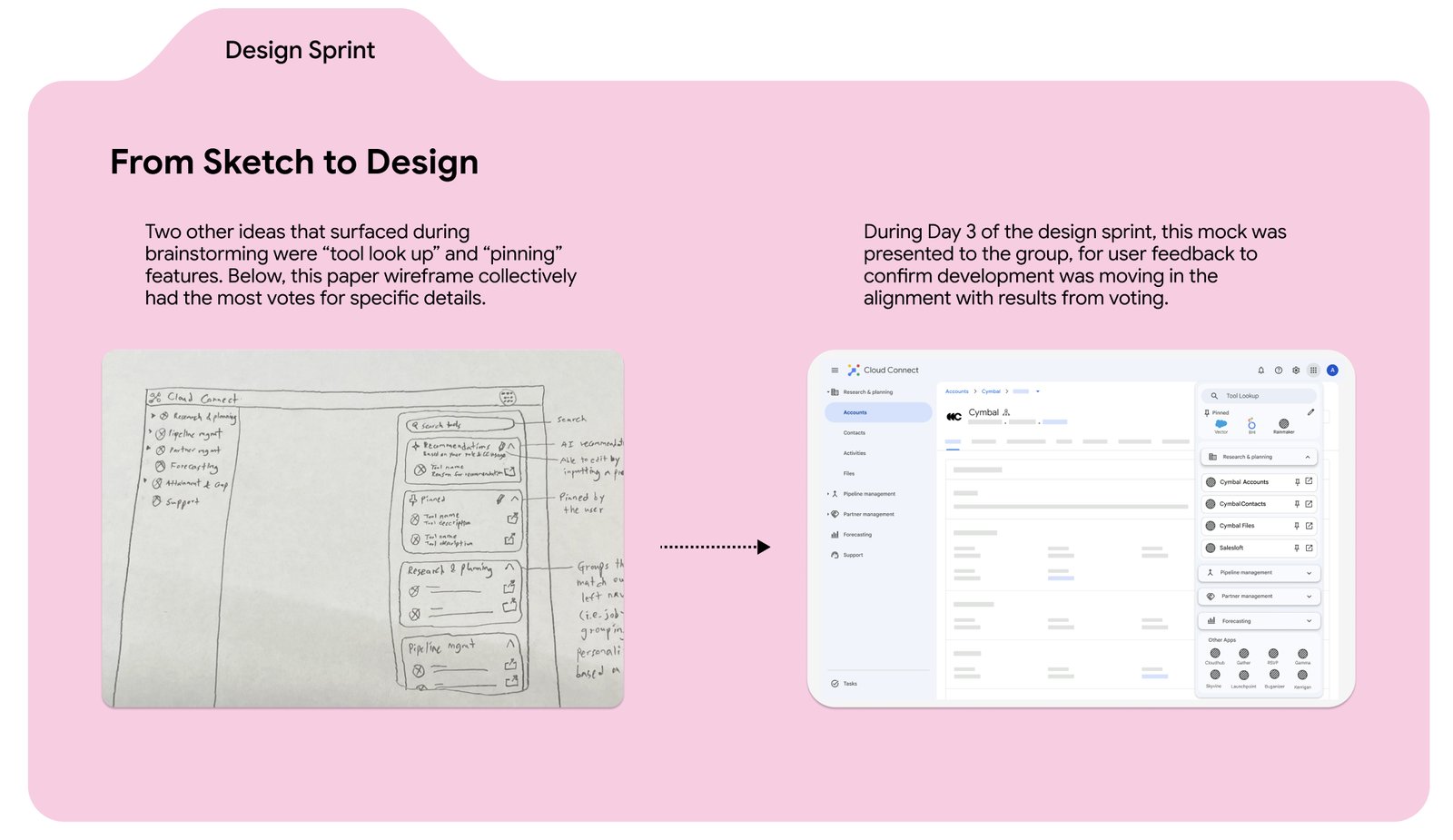
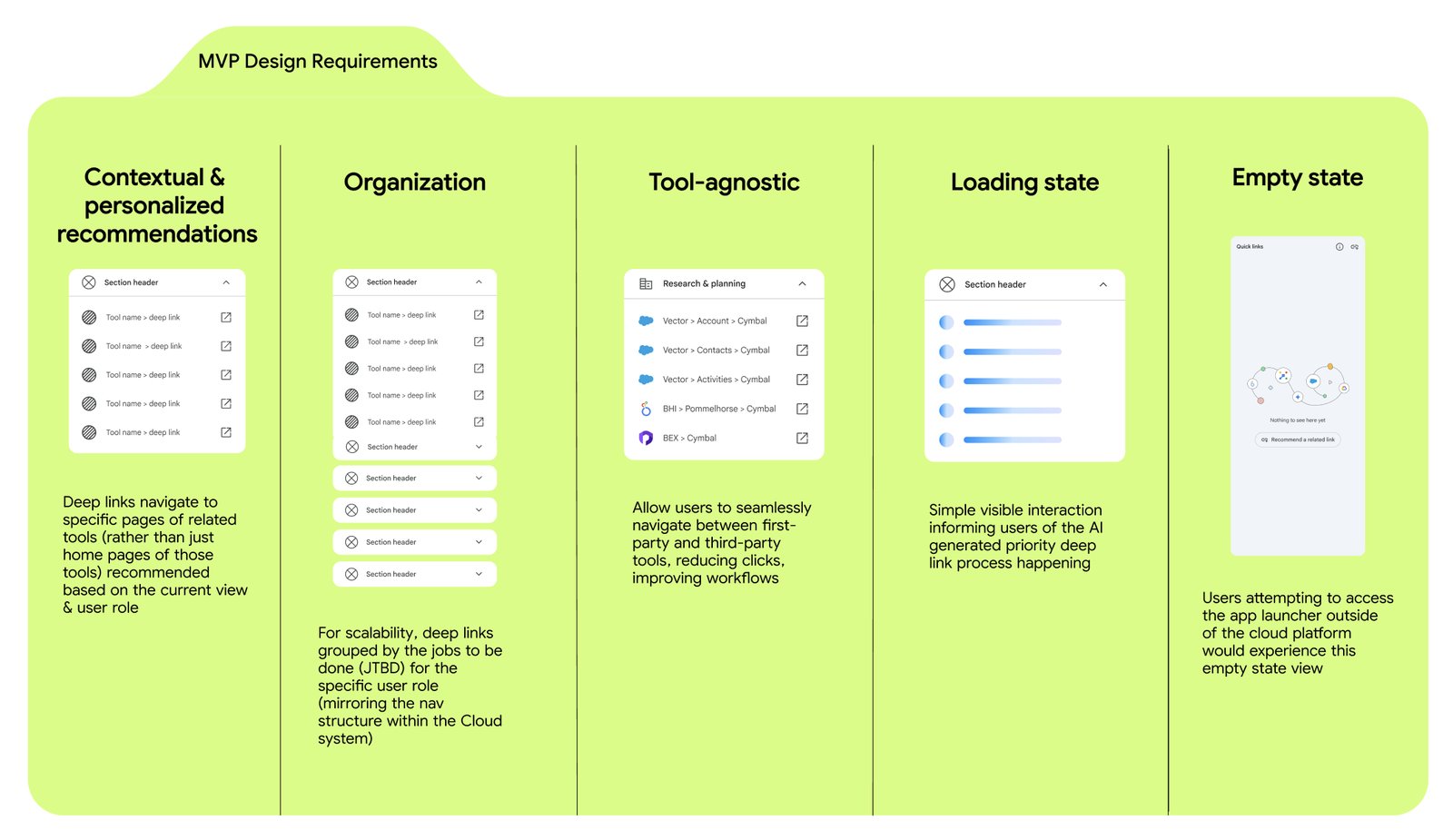
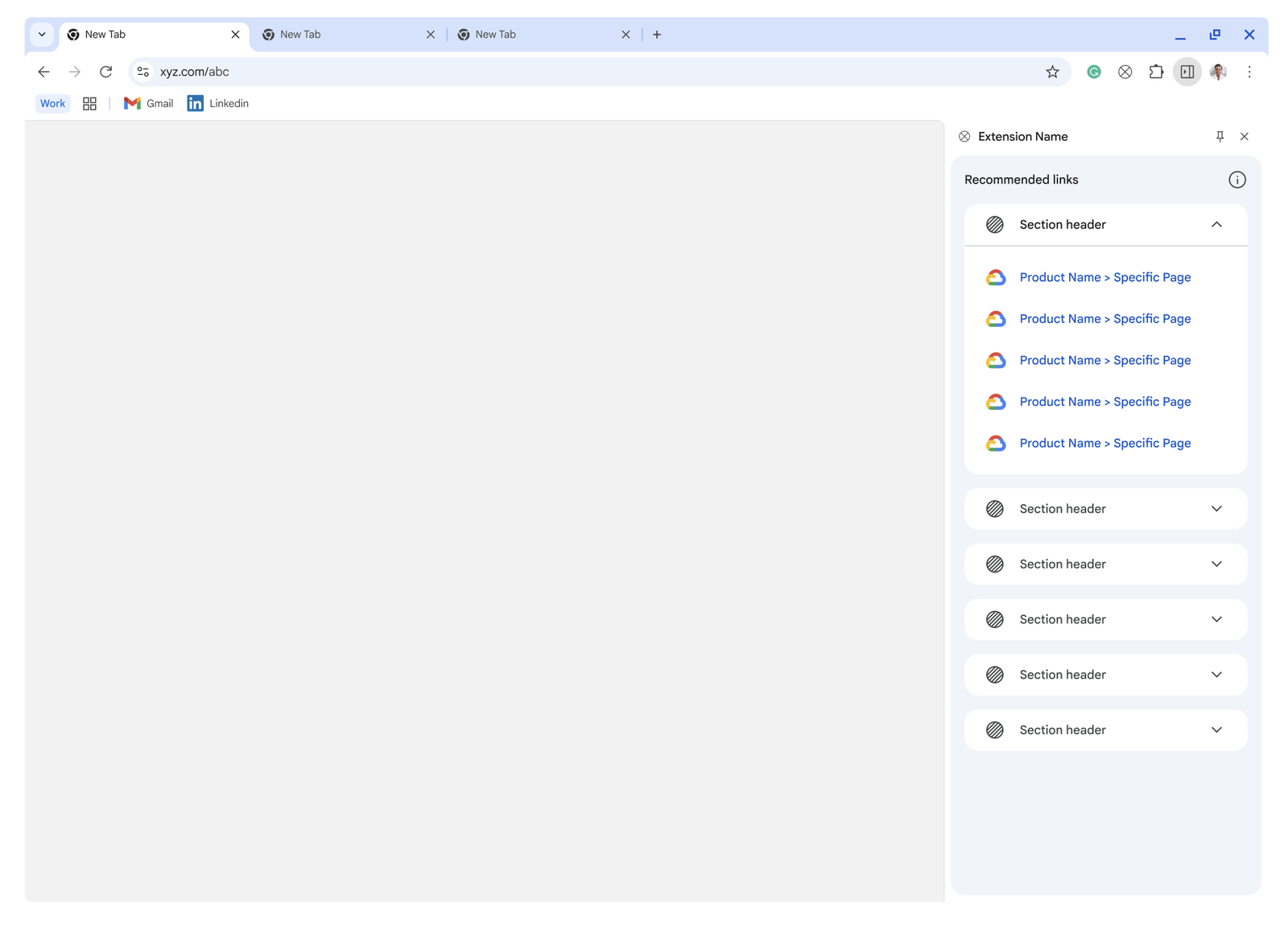
Converged the sprint's best ideas into one scope: contextual, deep-linked recommendations grouped by job-to-be-done, tool-agnostic, with defined loading and empty states.
Library Contribution
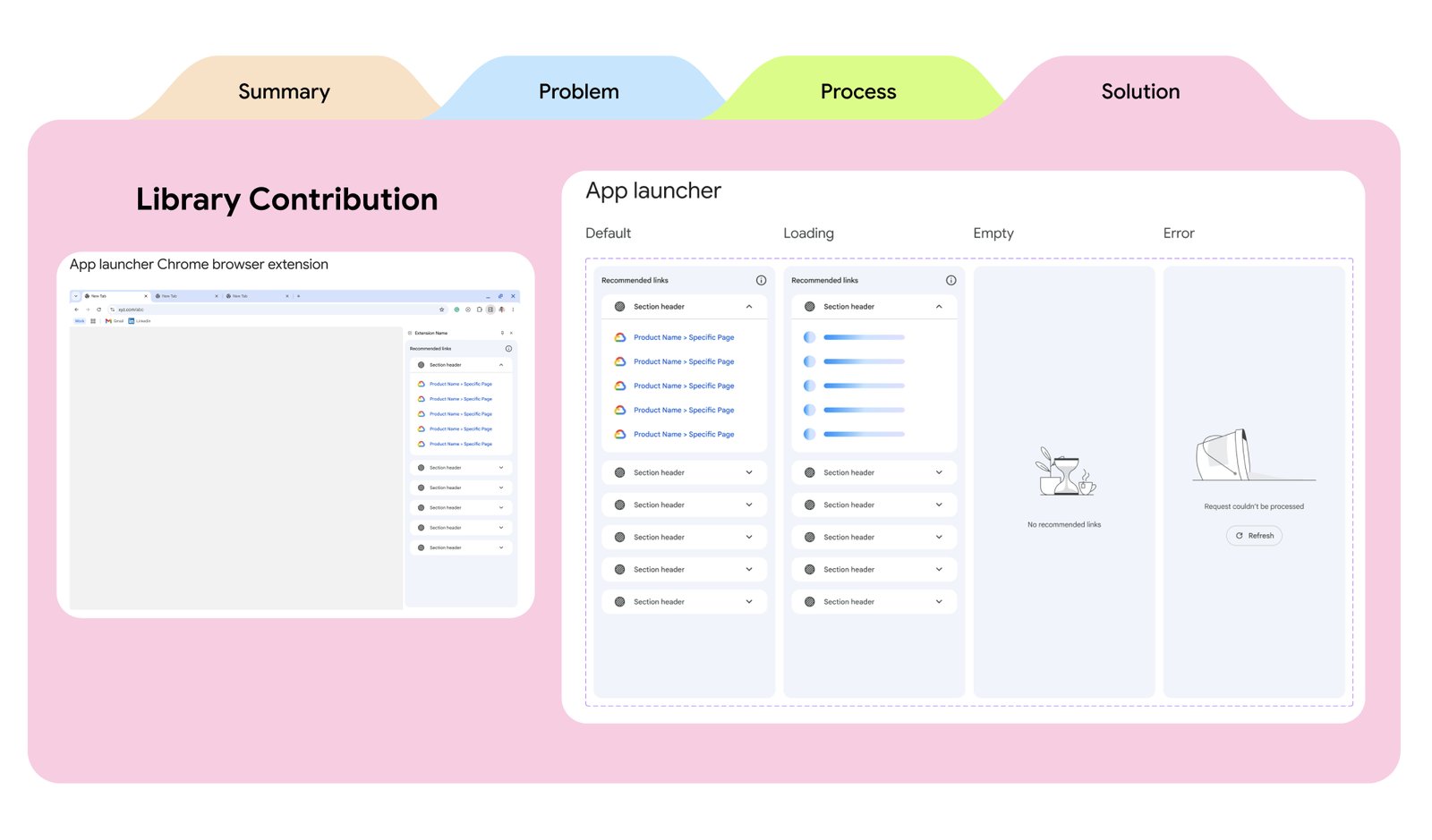
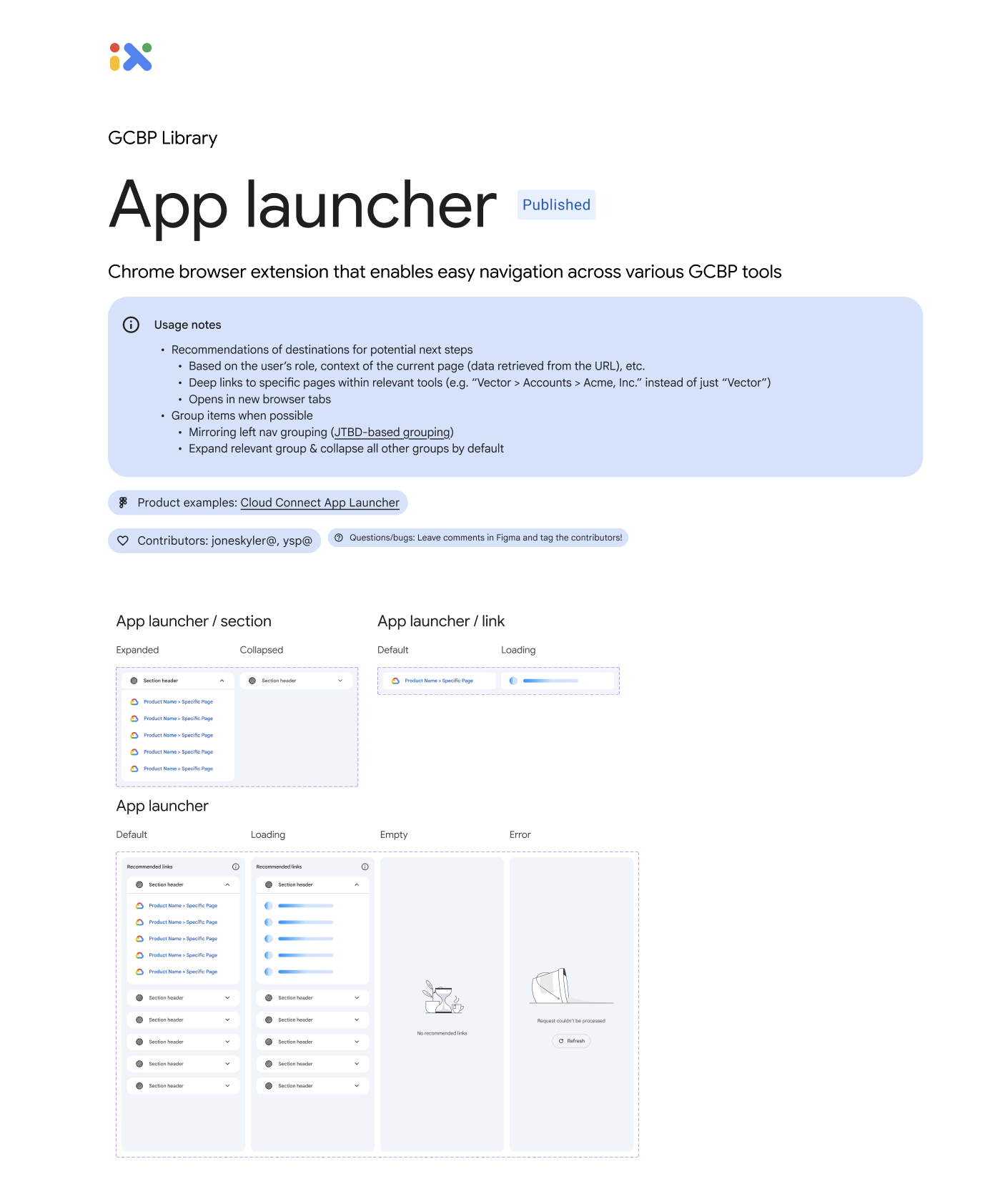
Generalized and published the launcher as a reusable design pattern in the GCBP library, so any team across Cloud could configure and reuse it.
Launch
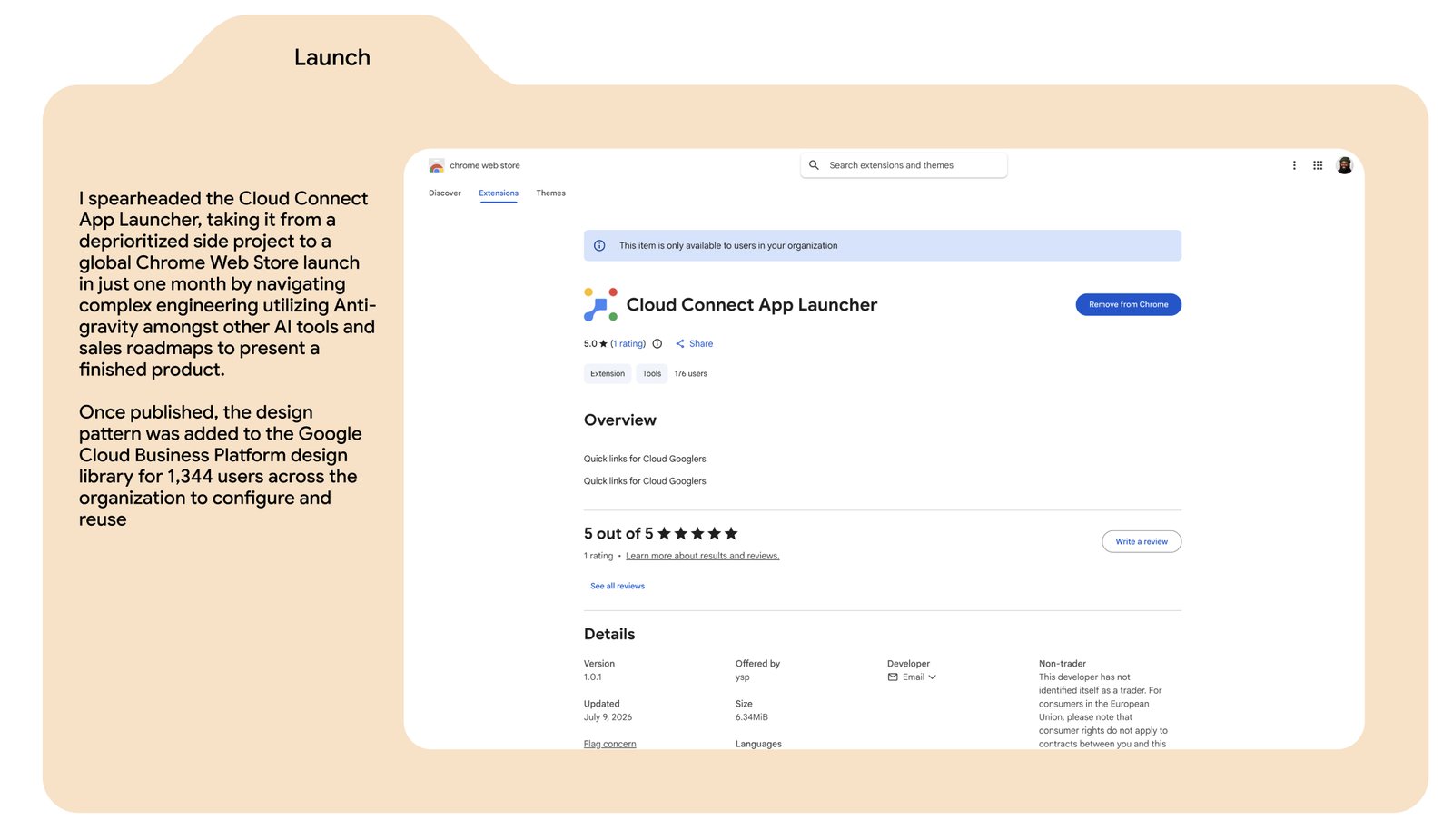
Shipped the Cloud Connect App Launcher to the Chrome Web Store as a working extension, used daily by account teams.
Selected moments
A closer look
Learning from how others solved it
Before sketching anything new, I audited how Google Search's waffle menu, Apple Watch's app grid, and Salesforce's top nav each handled switching between tools — and where each one broke down.
Five directions in three days
Each sprint participant sketched a different bet — an AI-first search bar, a "next stepper" with type-ahead, a focused side panel. My concept, App Launcher V1, proposed an interchangeable top-three app section with deep-linked dropdowns.
From sketch to shippable
The MVP resolved into a right-hand sidebar: recommended links grouped by job-to-be-done, deep-linked to the exact page a user needs — not just a tool's homepage.
Built once, reused everywhere
Rather than let the launcher live as a one-off, I documented and published it as a scalable pattern in the GCBP library — complete with every state — so other teams could configure and reuse it without redesigning from scratch.
Future vision
Beyond the MVP
The launcher's sidebar was designed to grow. Two directions I scoped for what's next: a Tool Lookup search that jumps straight to a specific link, and an AI Chat that lets users ask questions across every Cloud Googler tool — turning the launcher from a list of shortcuts into an assistant.
Shipped
Live on the Chrome Web Store
The Cloud Connect App Launcher officially launched as a published Chrome Extension. I was able to utilize an internal AI tool for vibe coding, to make changes to the production code to build and launch the Chrome Extension without the need of the engineering team.
Impact
What started as a 3-day design sprint shipped as a real Chrome extension — turning a fragmented, swivel-chair workflow into one smooth handoff between every tool an account team relies on.